Drint Knowledge › Packaging glossary › Trim marks
Trim marks
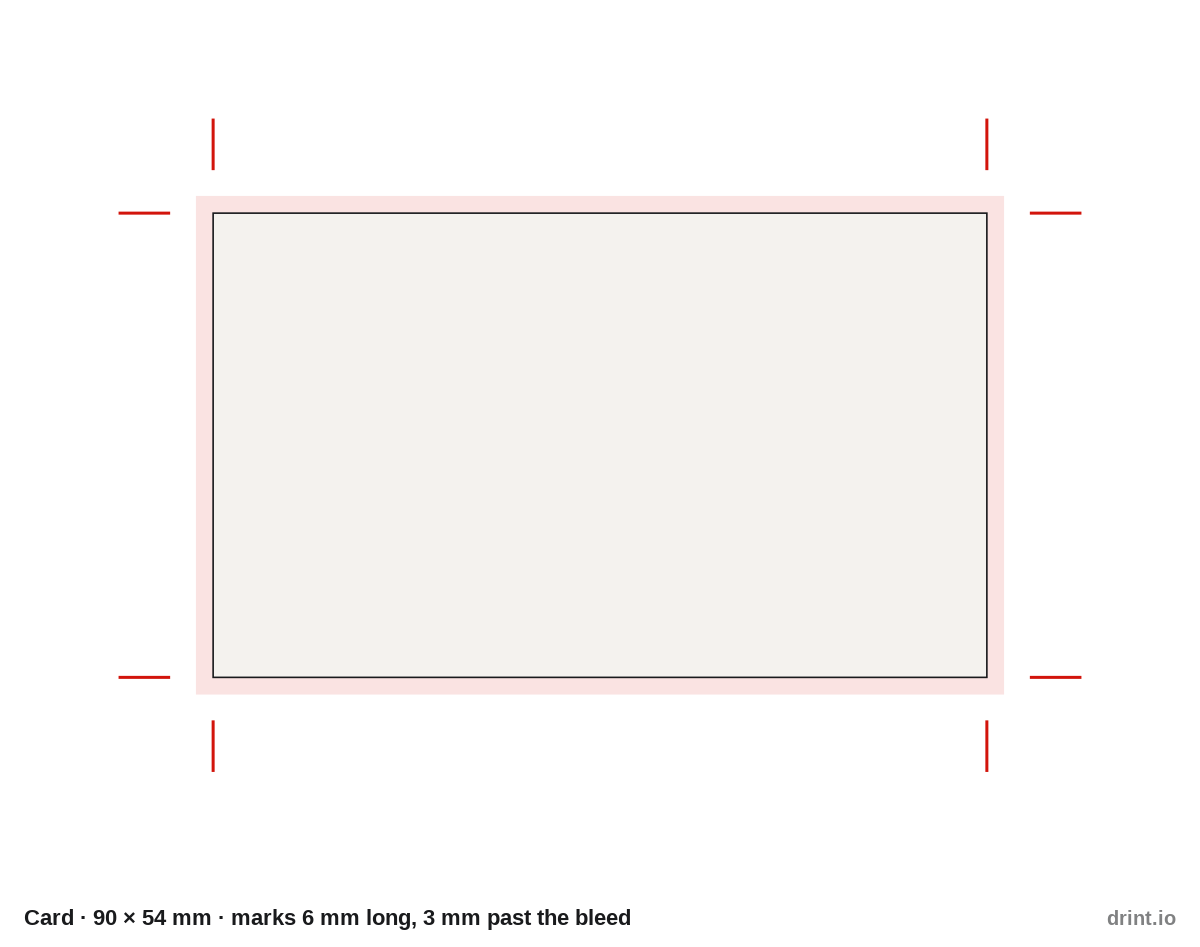
Short lines printed outside the finished edge of a flat piece, such as a card or flyer, showing the cutter exactly where to trim.
- Also called
- crop marks, cut marks, trim lines
- Kind
- Print & finishing
- Trim marks in Drint files
- 6 mm long, starting 3 mm outside the bleed
- Measured
Trim marks sit in the margin beyond the bleed, lined up with each edge of the trim box, so they are cut away with the waste and never appear on the finished piece. They are printed in every ink so they also show up on each separation, and they are usually set a few millimetres away from the trim so a slightly off cut does not leave marks visible.
They suit rectangular flat pieces cut on a guillotine: business cards, flyers, postcards, inserts and sheet labels. Boxes and other die-cut shapes are cut by the die itself, so instead of trim marks they need the dieline as a named spot colour on its own layer, set to overprint and excluded from the printing plates.
Questions
What is a trim marks?
Short lines printed outside the finished edge of a flat piece, such as a card or flyer, showing the cutter exactly where to trim.
Should I add trim marks myself?
Only if the printer asks. Many prefer a PDF with correct trim and bleed boxes and add their own marks during imposition.
More terms
Cite this page: Drint (2026). “Trim marks”. Drint Knowledge. https://drint.io/glossary/trim-marks