Drint Knowledge › Packaging glossary › Print resolution
Print resolution
How many image pixels fall on each inch of the printed piece at its final size; about 300 ppi is the usual target for photos in offset print.
- Also called
- effective resolution, image resolution, ppi, 300 ppi
- Kind
- Print & finishing
- Resolution Drint asks for
- 300 ppi
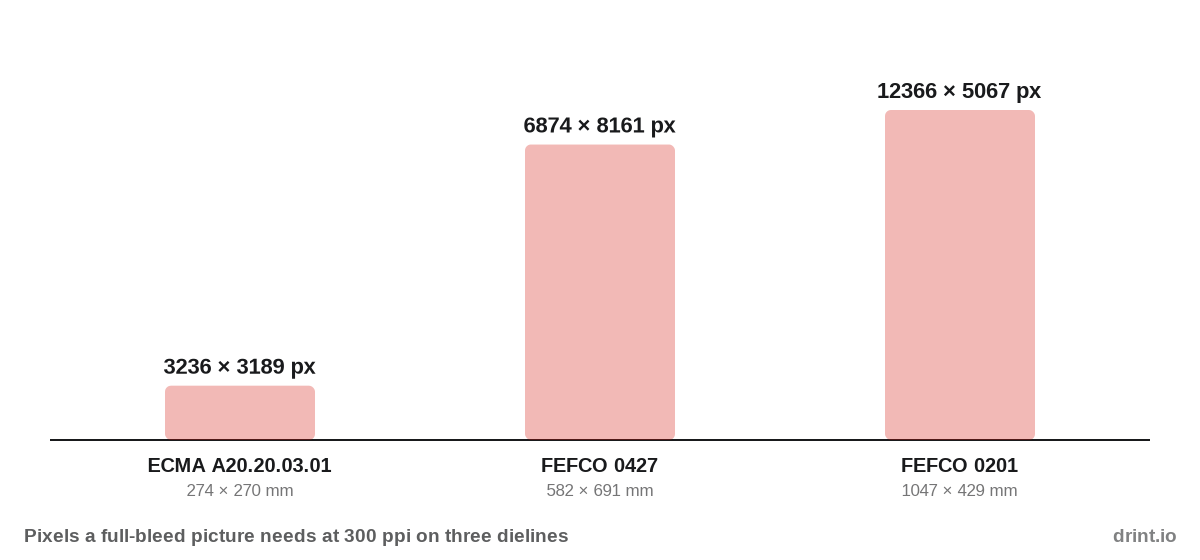
- Full-bleed pixels needed
- ECMA A20.20.03.01 (274 × 270 mm): 3236 × 3189 px
FEFCO 0427 (582 × 691 mm): 6874 × 8161 px
FEFCO 0201 (1047 × 429 mm): 12366 × 5067 px - Measured
What counts is effective resolution: the pixel count of an image divided by the size it is placed at, so a photo enlarged to twice its size keeps only half its resolution. Around 300 pixels per inch at full size matches the halftone screens commonly used in offset, while one-bit line art and very fine detail benefit from much higher values.
Check resolution after the image is scaled on the dieline, not in the original file, and remember that panels on large boxes and bag fronts are bigger than they feel on screen. Upsampling a small image does not create real detail, so ask for a larger original or redraw logos as vectors; large display graphics viewed from a distance can often accept lower values.
Questions
What is a print resolution?
How many image pixels fall on each inch of the printed piece at its final size; about 300 ppi is the usual target for photos in offset print.
Is 72 ppi enough for print?
No. Screen-resolution images look soft or pixelated in print at their placed size; aim for around 300 ppi at final size for photos.
More terms
Cite this page: Drint (2026). “Print resolution”. Drint Knowledge. https://drint.io/glossary/print-resolution