Drint Knowledge › Packaging glossary › 100% black overprint
100% black overprint
Setting small black text and thin lines in solid black ink only and printing them on top of the colours below, instead of knocking a hole for them.
- Also called
- K100 overprint, black overprint, overprint K
- Kind
- Print & finishing
- Black ink only (K100)
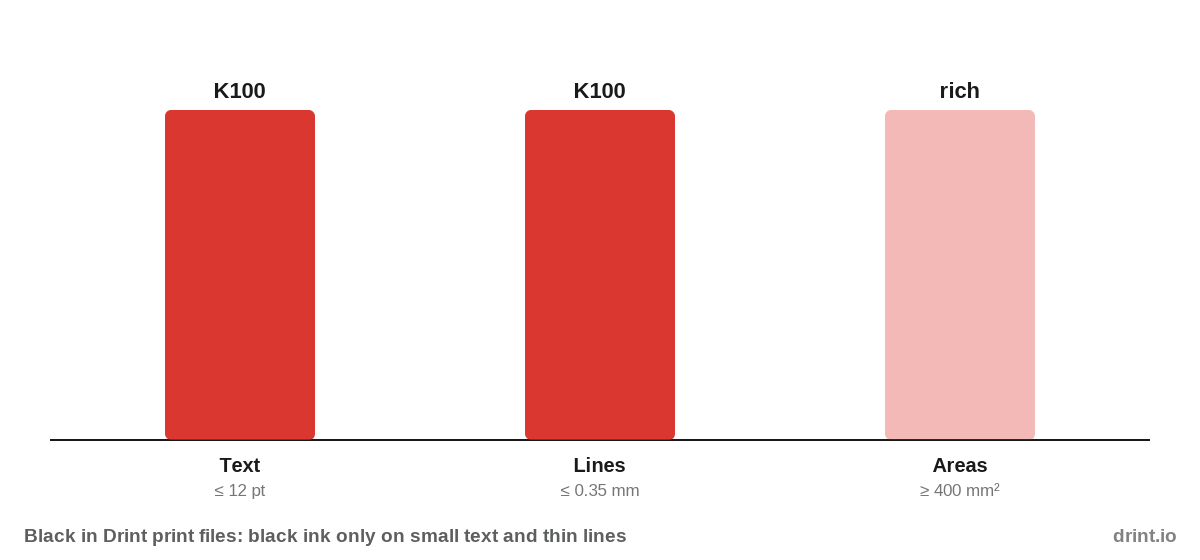
- text ≤ 12 pt, lines ≤ 0.35 mm
- Rich black recipe
- C60 M40 Y40 K100 on black areas from 400 mm²
- Measured
By default, artwork knocks out: wherever a black letter sits on a coloured background, the other plates leave a matching hole and the black must land exactly inside it. Overprinting tells the press to print the black over the background without the hole, so small registration shifts cannot open white halos around the letters.
Overprint is right for body copy, ingredient lists, legal text, thin rules and dielines on a separate layer, all in a single black ink. Check the result in an overprint preview, because black printed over a strong colour looks slightly different from black over white, and never set white or light objects to overprint: they vanish on press. Large black solids are better made as rich black than as plain overprinted black.
Questions
What is a 100% black overprint?
Setting small black text and thin lines in solid black ink only and printing them on top of the colours below, instead of knocking a hole for them.
Why did my white text disappear in the printed proof?
It was set to overprint. White is the absence of ink, so overprinting it prints nothing; set white objects to knock out.
More terms
Cite this page: Drint (2026). “100% black overprint”. Drint Knowledge. https://drint.io/glossary/overprint-black