Blog › How to Make 3D Packaging Mockups in Canva
How to make 3D packaging mockups in Canva, step by step
 By Nguyễn Thành Dân, Founder of Drint ·
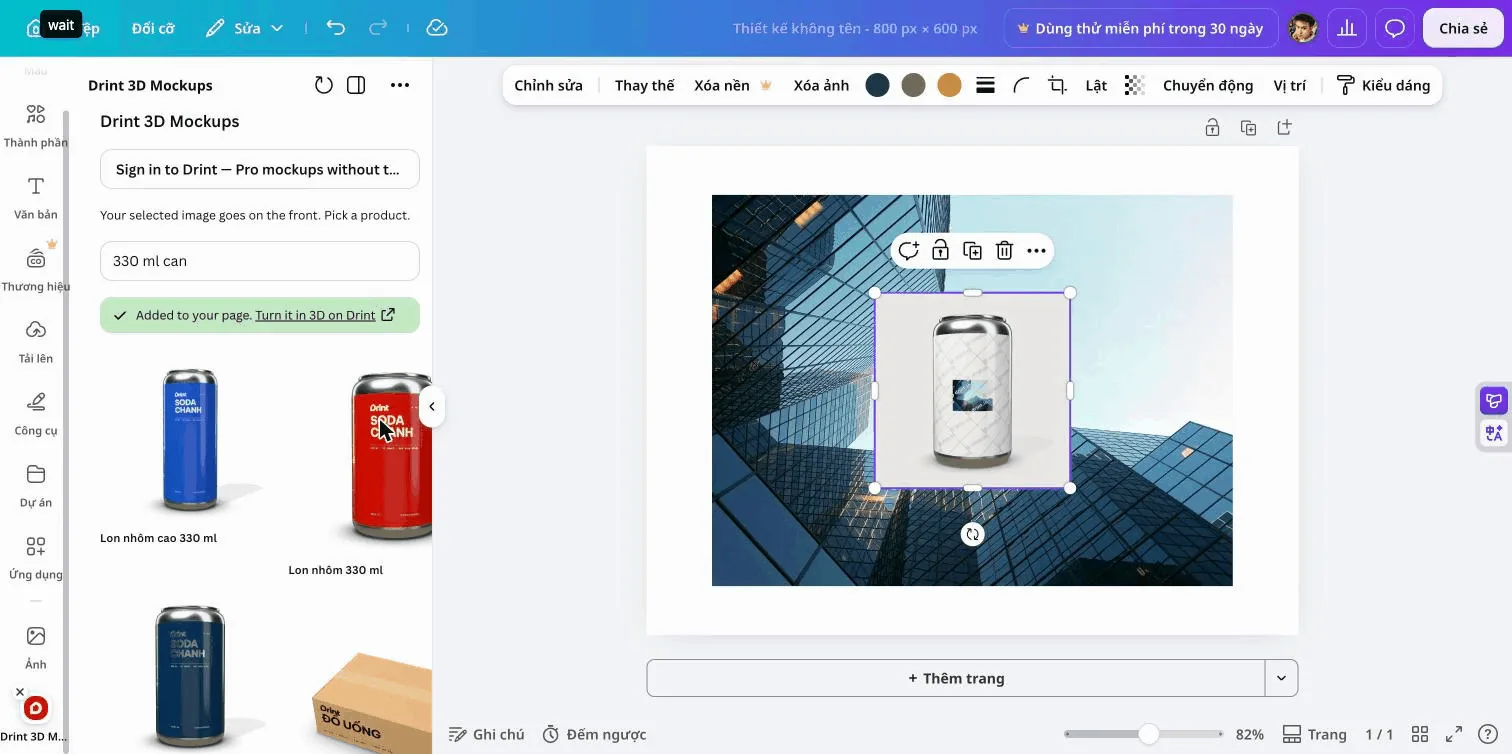
You can turn a Canva design into a 3D packaging mockup without leaving the editor. Select an image on your page, open the Drint 3D Mockups app, pick a product and the finished picture lands on your page. In our test on 5 November 2026 a 330 ml can took about 30 seconds. No account is needed. Your first three mockups have no watermark.
Why it matters: a flat label on a white page rarely sells a packaging idea to a client. A 3D picture of the same label on a can, a pouch or a gift box does. Until now that meant exporting from Canva and rebuilding the scene in a 3D tool.
Key points
- The Drint app runs inside the Canva editor as a panel next to your design.
- It searches Drint's library of 76,000+ 3D mockups: boxes, bags, bottles, cans, jars, mugs and apparel.
- Each mockup comes back as a 1024 × 1024 px PNG placed on your page.
- Your first three mockups are free without a watermark. After that, up to 20 a month carry a light Drint grid.
- A Drint Pro account removes the grid. You sign in from the same panel.
What do I need before I start?
You need a Canva design with at least one image on it: your label, logo or full artwork, exported as a picture or placed from Canva's own Photos. A flat front view works best. Leave a little space around the artwork, the way you would on a real label.
You do not need a Drint account. The app works signed out. check: Marketplace link after Canva approves the app
How do I make the mockup, step by step?
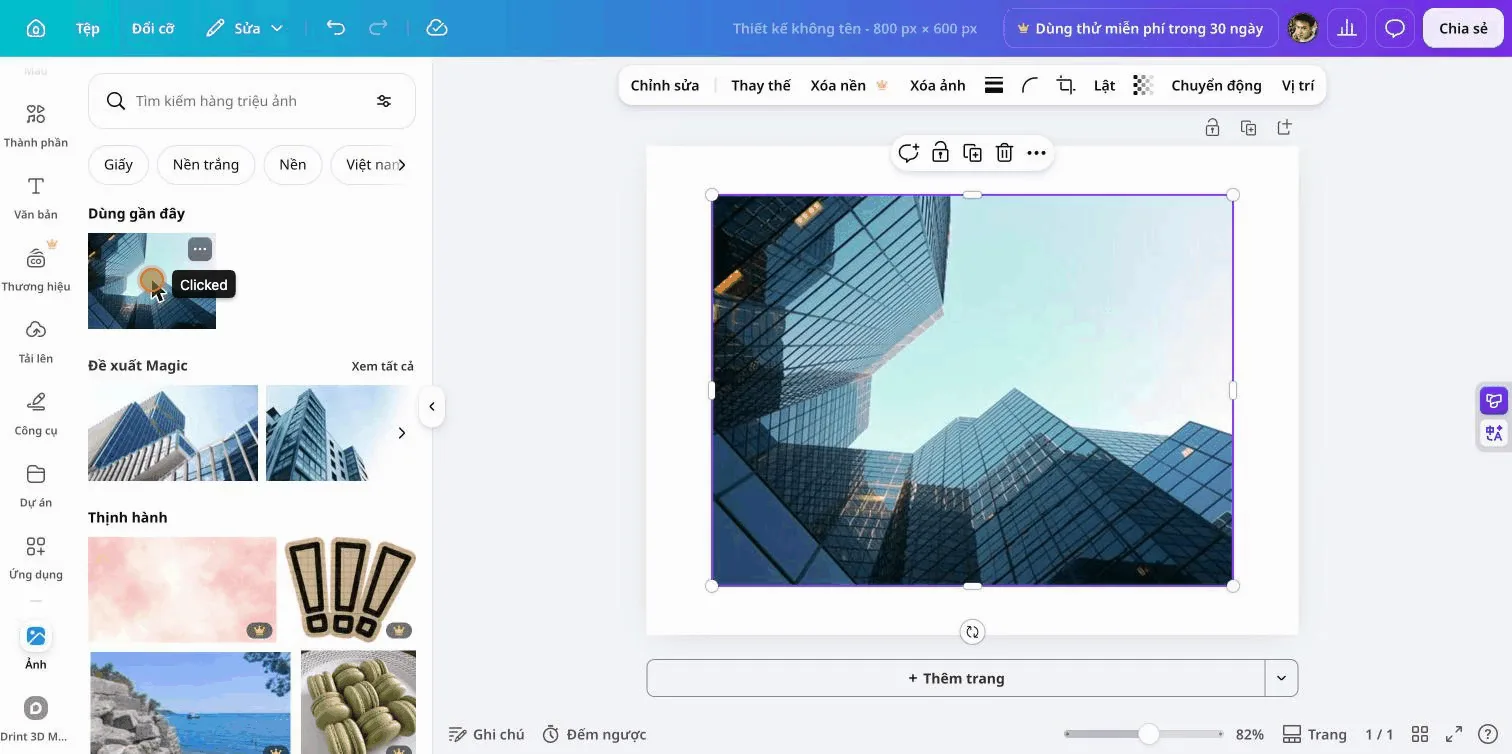
Step 1: Add your artwork and select it
Place your artwork on the page and click it once so the blue frame shows. The app always uses the image you have selected.
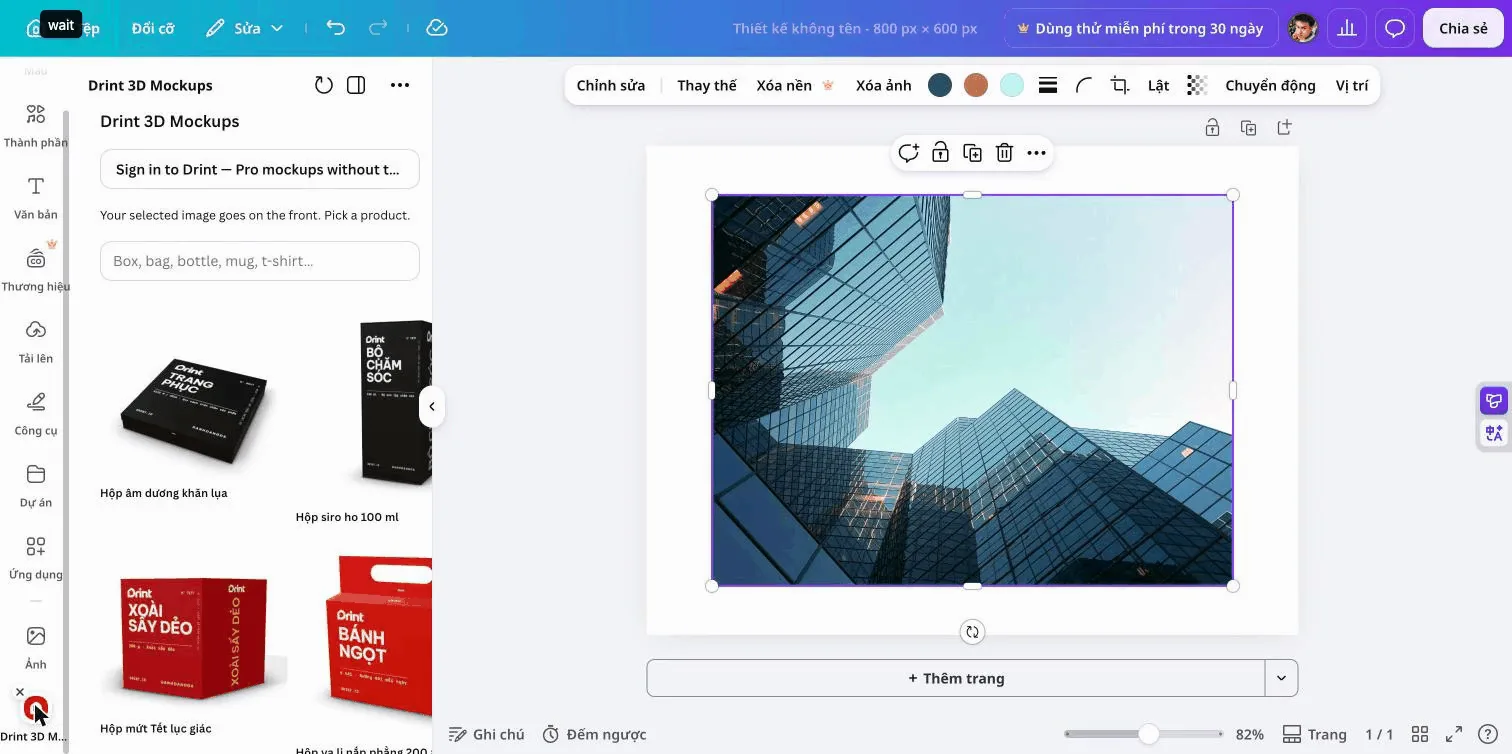
Step 2: Open Drint 3D Mockups
Open Apps in the left rail and choose Drint 3D Mockups. With an image selected, the panel reads "Your selected image goes on the front. Pick a product." With nothing selected, the product cards are faded until you select an image.
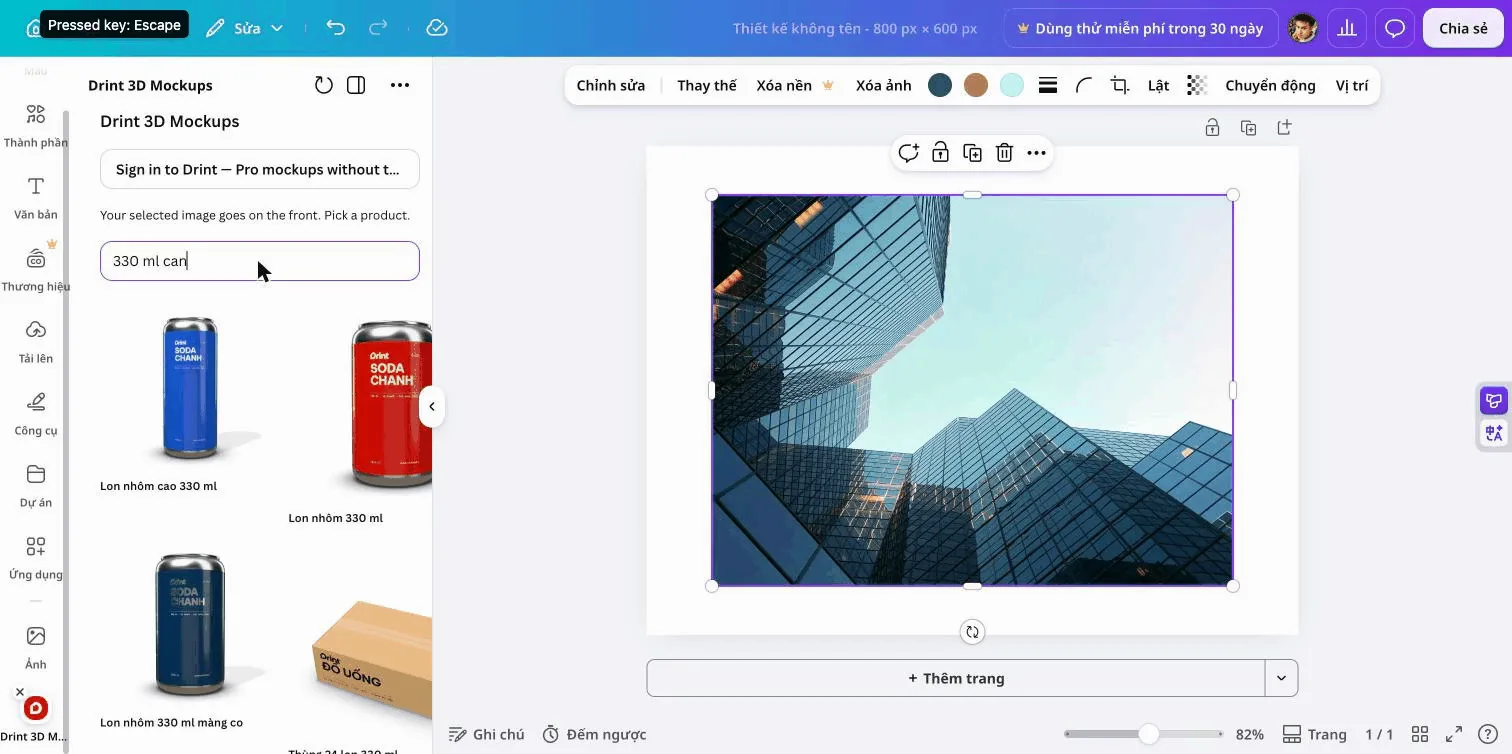
Step 3: Find the product
Type the product in the search box and press Enter: "330 ml can", "kraft paper bag", "tuck end box", "glass jar". The search reads plain words, so sizes and materials help. Each card shows a real Drint render of that product.
Step 4: Choose how the artwork prints
Two options sit above the search box:
| Option | What happens | Use it for |
|---|---|---|
| Front label | The image is printed on the front face or label area | Logos, labels, box fronts |
| Wrap all over | The image covers the whole product, as a large repeat | Patterns, full-wrap cans, gift wrap |
Step 5: Click the product
Click a card. A spinner shows while Drint draws the mockup on its servers, usually 20 to 40 seconds. The PNG is then added to your page, and a green message links to the same product in 3D on drint.io, where you can turn it and change the light.
Where does the picture come from?
Drint draws each mockup from a 3D model with your artwork mapped onto it, then sends back a single picture. Canva receives only that PNG. The artwork and the finished picture are deleted from Drint's servers after one hour.
The library is the same one behind Drint's mockup pages, such as the 330 ml aluminium can and the tall aluminium can. We counted the library in our comparison of 3D mockup libraries.
What is free and what needs Pro?
| Signed out | Free Drint account | Drint Pro | |
|---|---|---|---|
| Mockups without watermark | First 3 | None | All |
| Other mockups | Drint grid, 20 a month | Drint grid, 10 a month | No grid, 500 a month |
| Picture size in Canva | 1024 px | 1024 px | 1024 px |
| Turn the model in 3D on drint.io | Yes | Yes | Yes, 4K export |
Prices for Pro are on the pricing page. Payment happens on drint.io, not in Canva.
What this means for designers
The usual route was three tools: design in Canva, export, rebuild the scene in a mockup tool, export again. The app cuts that to one click for quick client previews and social posts.
For print, the mockup is only a picture. When the design is approved, build the print file on the real dieline. Our guide from artwork to a print-ready packaging file covers bleed, CMYK and the die layer.
Sources
- Canva Developers, Canva Apps SDK documentation, accessed 5 November 2026.
- Drint, test run of Drint 3D Mockups in the Canva app preview, 330 ml can, 5 November 2026 (screenshots above).
- Drint, library count in The largest 3D mockup library, 29 October 2026.
Try it
Open any Canva design, select an image and search Drint 3D Mockups under Apps. Prefer the full 3D scene? Open 3D Studio on drint.io.
Frequently asked questions
Is the Drint app free to use in Canva?
Yes. It works without an account. The first three mockups have no watermark; later free mockups carry a light Drint grid.
Can I use my own photo or logo?
Yes. Any image you can place and select in Canva works, including uploads.
Why is my artwork small on a can?
Front label prints on the label area only. Choose Wrap all over to cover the whole can.
Does Canva Pro remove the Drint watermark?
No. The watermark belongs to Drint. A Drint Pro account removes it.
Is my design stored by Drint?
Only while the mockup is drawn. The artwork and the picture are deleted after one hour.